
Security and privacy
The server is off until you turn it on, never leaves your Mac, and every AI app needs its own key.

Local only
- Off by default. Nothing listens until you turn on MCP server on the AI & MCP page.
- Loopback only. The server binds to 127.0.0.1 (and ::1 when it’s available), never to your network. Other computers can’t reach it, even on the same Wi-Fi. Requests must also name the loopback host and port, which stops DNS-rebinding tricks.
- No web pages. Requests from web pages carry an
Originheader or cross-site browser fetch metadata, and either one is refused (403). MCP clients send neither. CORS preflights are refused too. A website you visit can’t talk to Gadwal. - Streamable HTTP at
http://127.0.0.1:55183/mcp. Each conversation gets a session ID (theMcp-Session-Idheader) bound to the app that opened it, so one app can never use another’s session.
A token per AI app
- Each app on the AI & MCP page gets its own bearer token, stored in your Keychain. A request without a valid token gets 401.
- The ⋯ menu on an app’s row has Show Token, Rotate Token and Revoke. Rotating or revoking ends that app’s sessions at once; the others keep working.
- When Gadwal copies a token or a command with a token in it, the clipboard is cleared after 90 seconds.
- AI apps keep their copy in their own config file (for example
~/.claude.jsonor~/.codex/config.toml) in plain text. Claude Desktop keeps it encrypted. If you think one leaked, rotate it. - Repeated bad tokens and floods are rate-limited (429).
What the AI may do, per connection
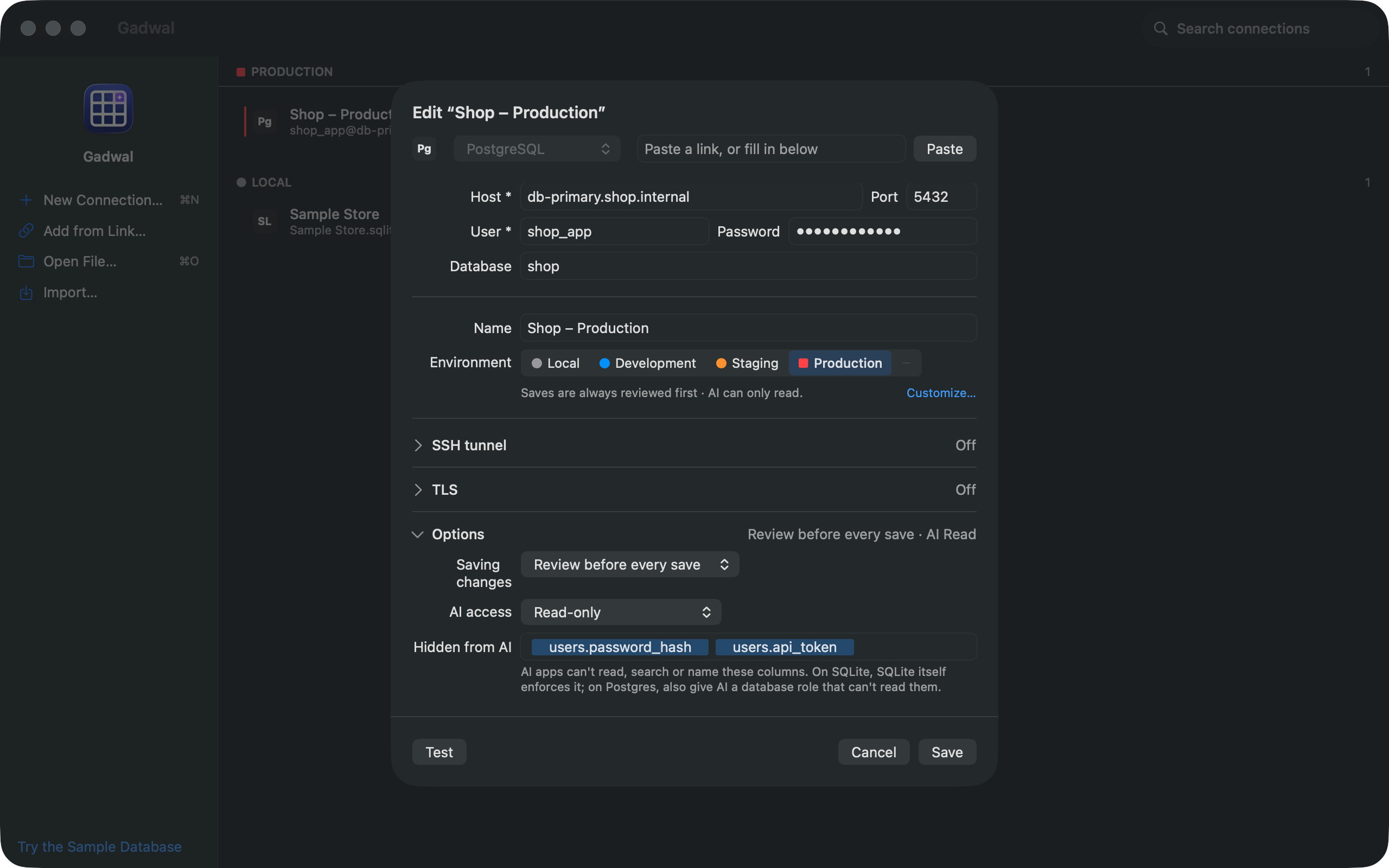
Each connection has an AI level (Off, Read-only, Ask before write or Full). Production starts at Read-only, and raising it asks you to confirm. Columns you mark as hidden never leave the app. Details in AI levels and hidden columns.
Reads can’t write
run_query and the other read tools run one statement in a read-only transaction, where the engine supports it. A statement Gadwal can’t classify is treated as a write, never as a read. Reads stop after 30 seconds, and results are capped (200 rows by default, 2 KB per cell, 256 KB per answer).
Writes wait for you
On Ask before write, every change is staged in Review with the exact SQL, and the AI is told whether you approved or rejected it. At every level, DROP, TRUNCATE, DELETE or UPDATE without a WHERE, and other destructive statements wait for approval, and Gadwal backs up the affected tables first. BigQuery isn’t snapshotted (it would be a billed full scan); its built-in time travel keeps 7 days. See How AI review works.
Everything is logged
AI Activity… records each call: the app, the tool, the connection, the SQL and the decision (Allowed, Executed, Staged, Approved, Rejected, Denied or Failed). You can export it to CSV.
What Gadwal doesn’t do
- It has no AI model and no API keys, and it sends nothing to any AI provider. The AI app you connect sends what it reads to its own provider; check that app’s data settings.
- It doesn’t run in the cloud. Web connectors such as ChatGPT.com or Claude.ai can’t reach it.
- The server only runs while Gadwal is open.