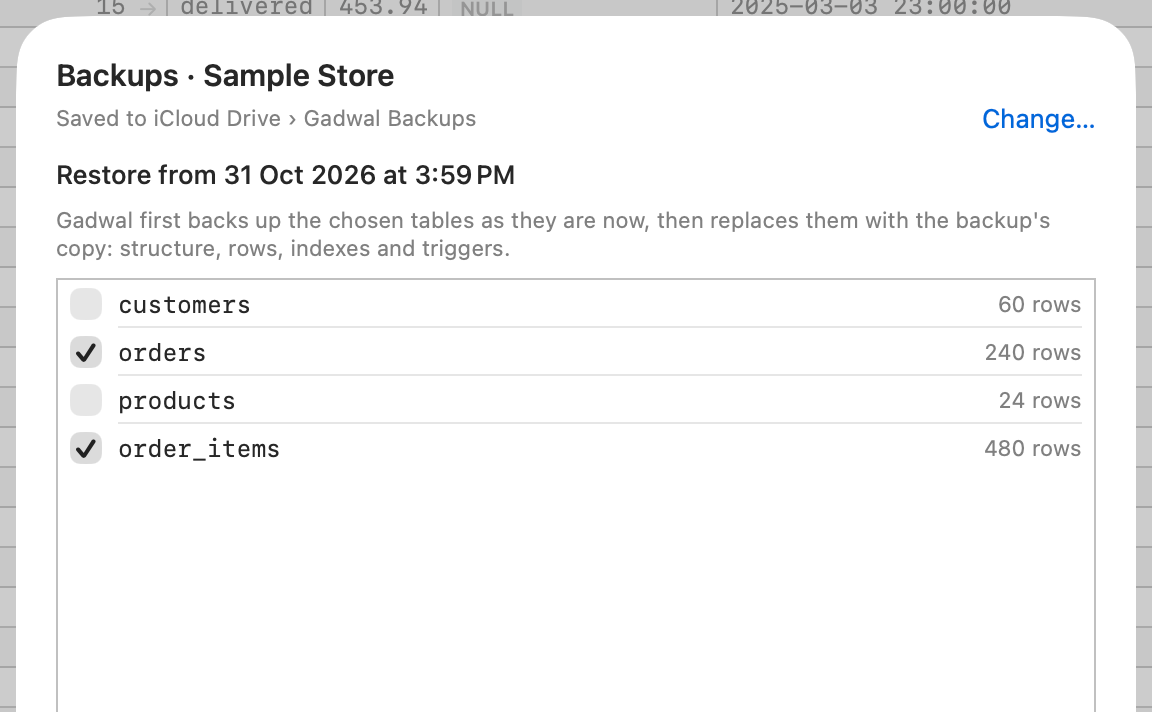
Backups
Back up and restore by hand
Back Up Now saves a connection to a folder on your Mac or in iCloud Drive: compressed SQL per table plus a manifest with row counts and checksums. Restore the tables you pick; Gadwal backs them up first.
 Gadwal
 Native Mac client + MCP server
A fast, native client for Postgres, MySQL and six more engines. Claude, Cursor and Codex can read your data and propose changes, and nothing runs until you approve the exact SQL.
14-day free trial with everything unlocked · macOS 15 Sequoia or later · Apple silicon and Intel
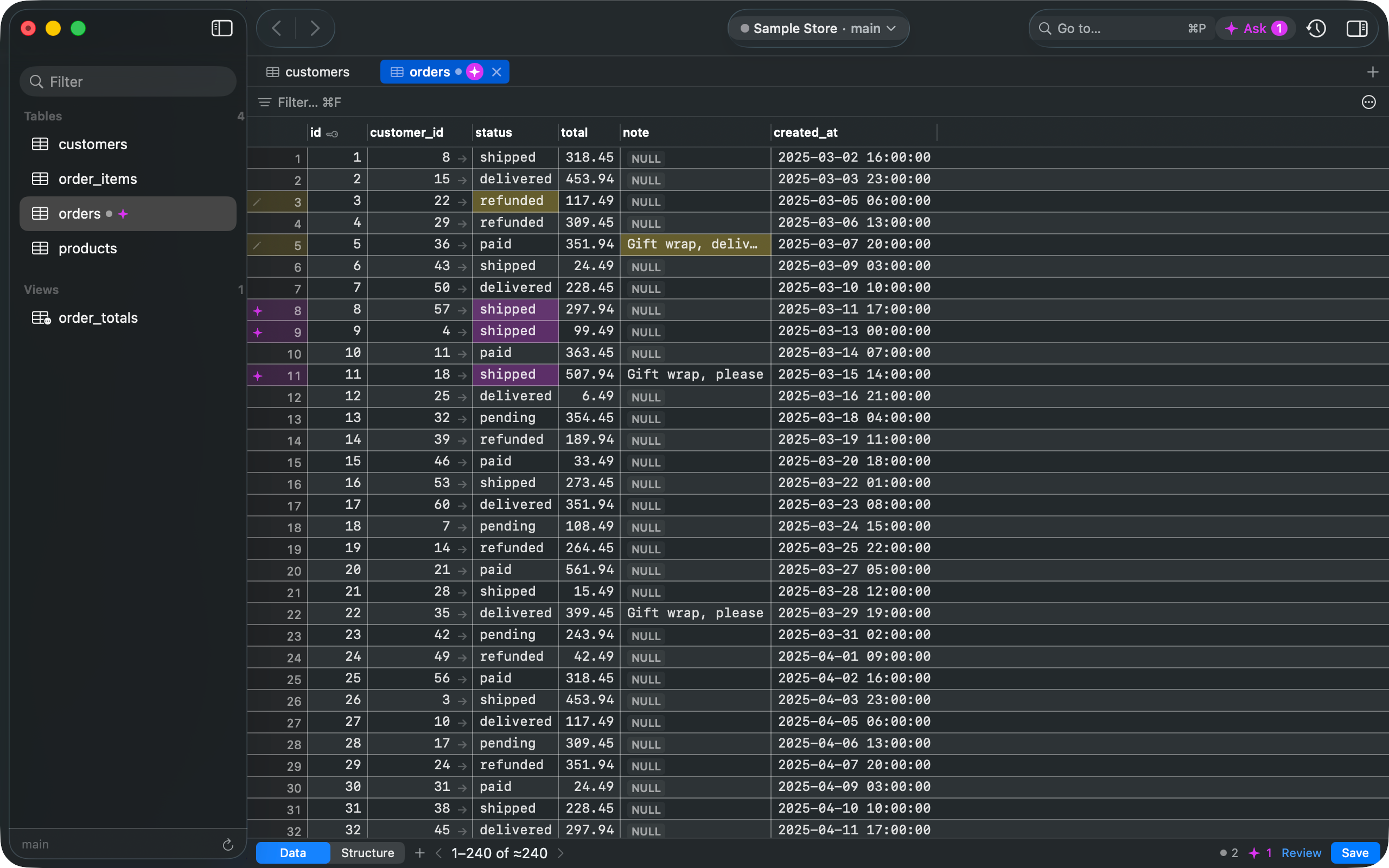
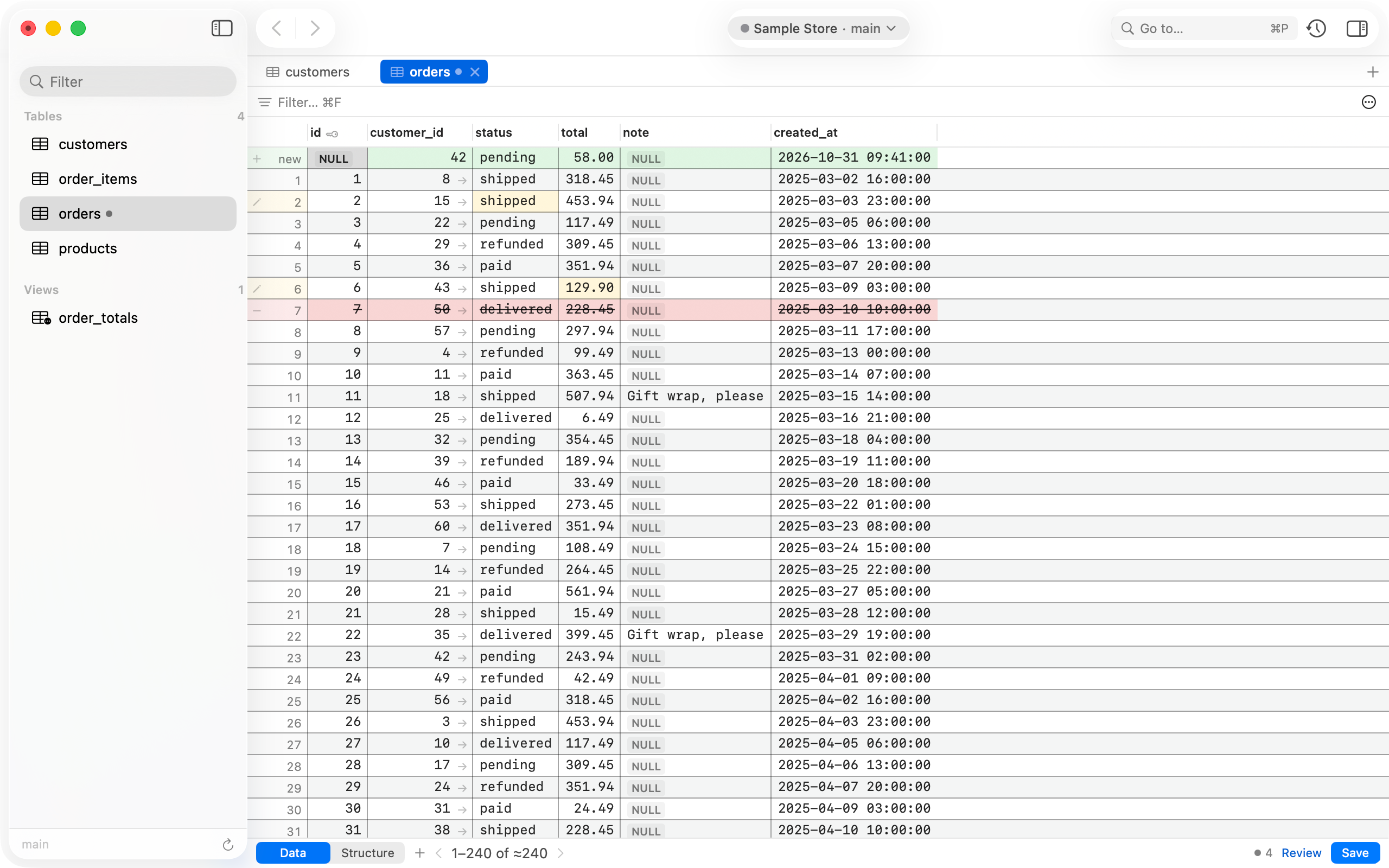
Real screenshot: your edits and three AI-proposed rows, staged in the same grid.Real screenshot: a new row, two edits and a deletion, all staged until you press ⌘S.
AI review
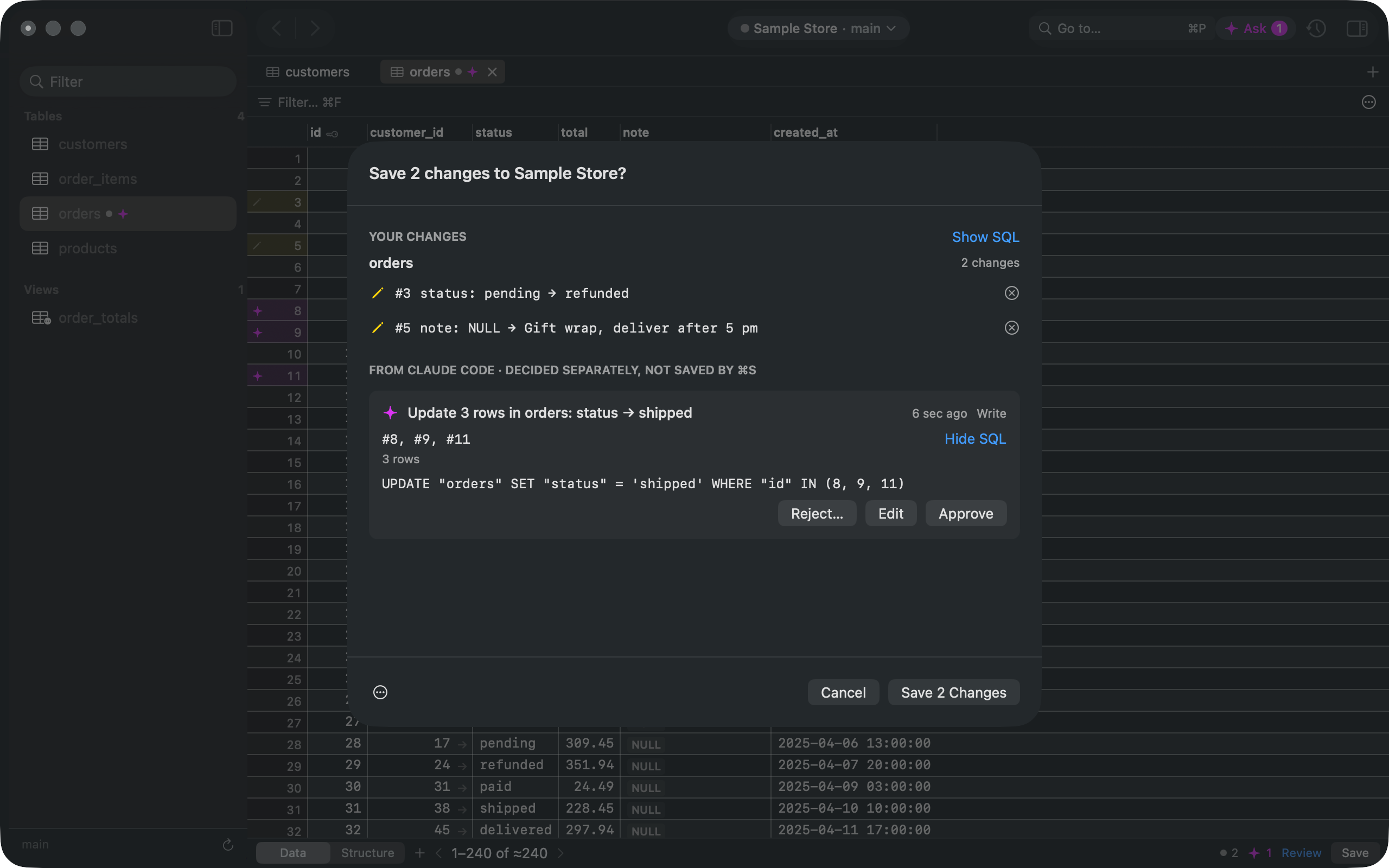
Most database MCP servers hand the AI a connection and run whatever it sends. Gadwal stages AI writes exactly like your own edits, so you see the statement, the rows and the app that asked before anything runs.
Turn on the MCP server in Settings. Claude Desktop, Cursor and VS Code install in one click; Claude Code gets a command to paste and Codex a config block. No API keys, nothing leaves your Mac through Gadwal.
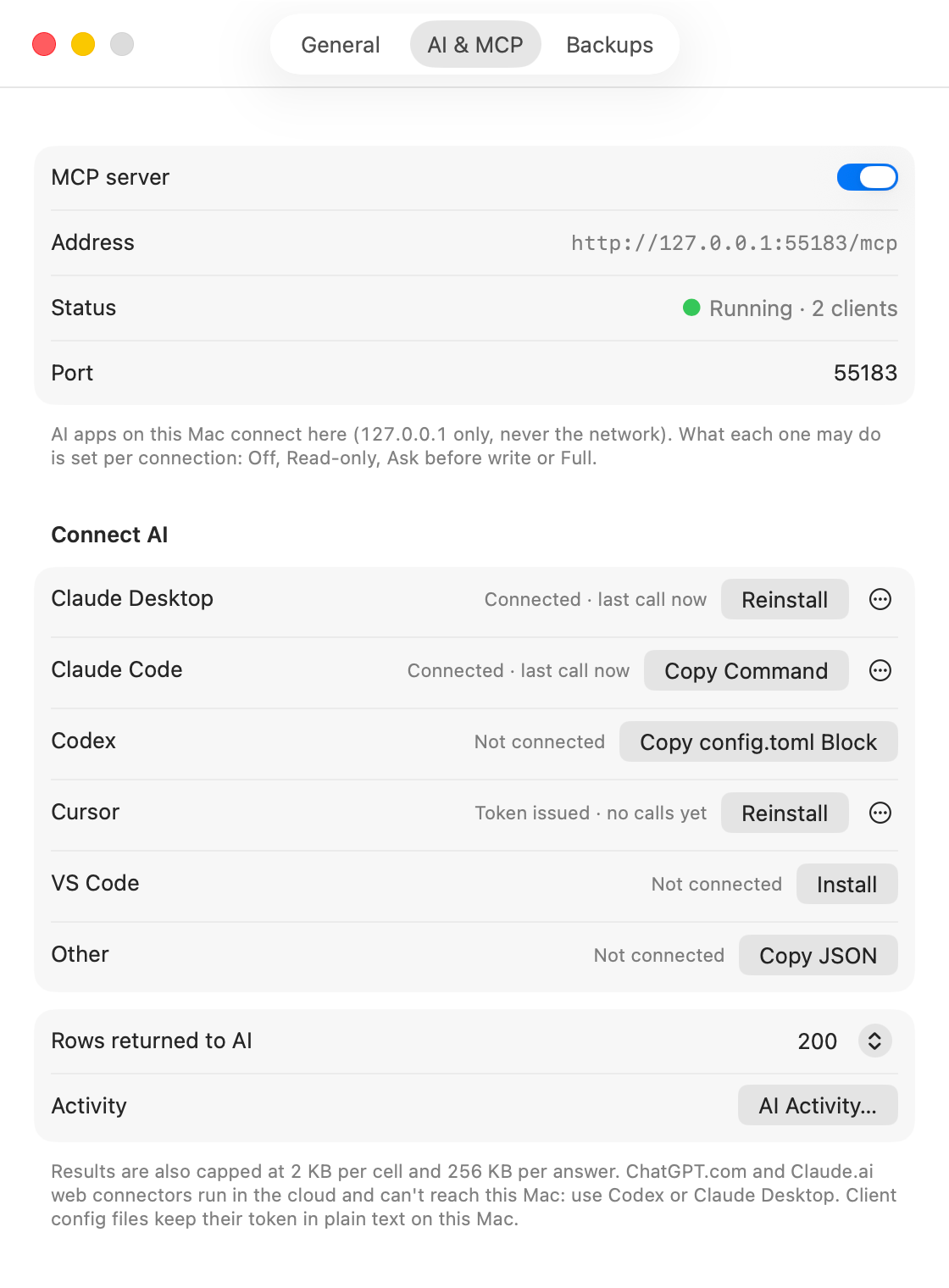
On “Ask before write” connections, every AI write lands in a Review list with the exact SQL, the rows it touches and the app that asked. Destructive statements are flagged, and Gadwal backs up the table before they can run.
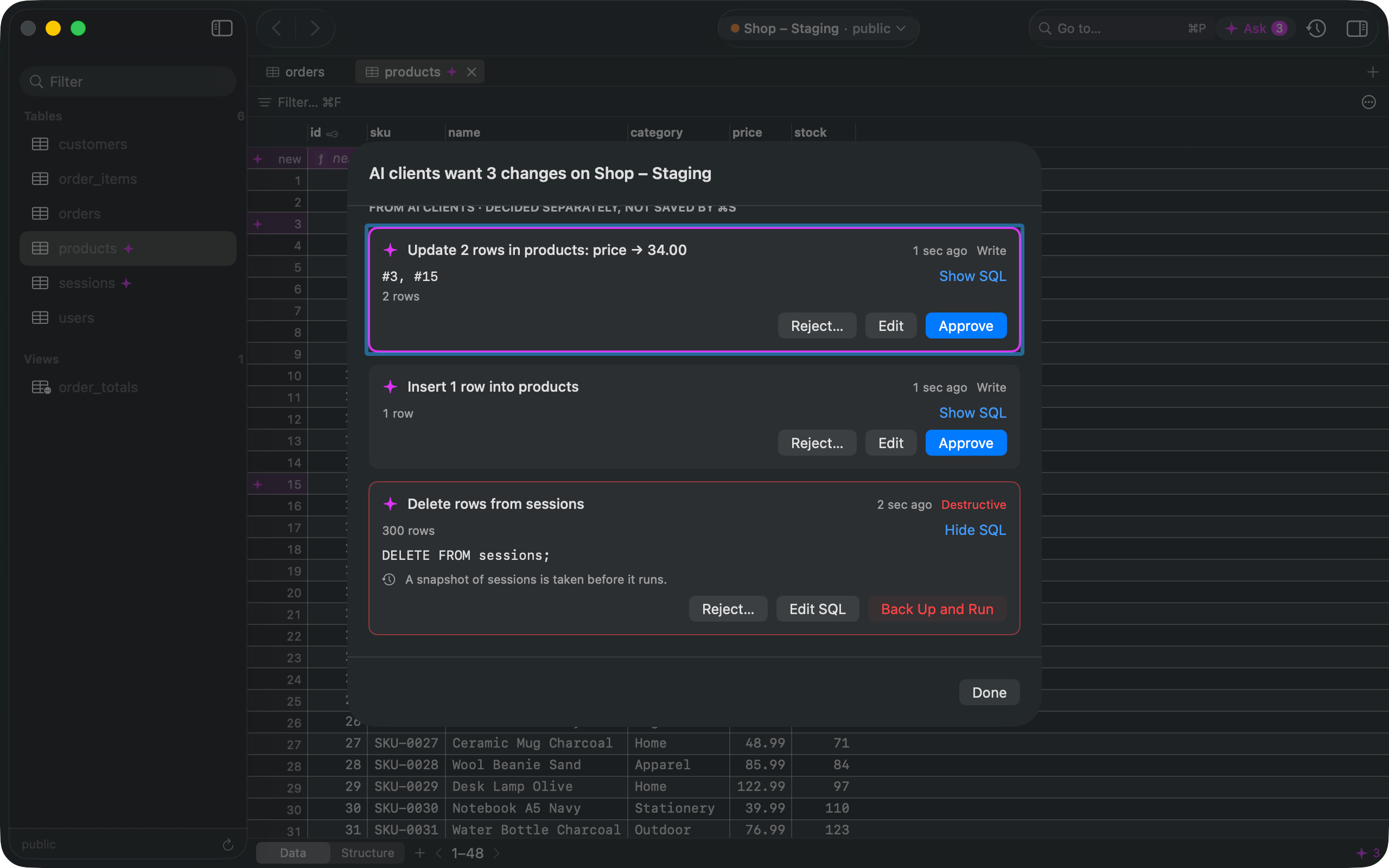
AI changes appear next to your own in the save sheet, decided one by one. Approve it, edit the SQL first, or reject it with a reason the AI gets back. Every call is logged.
Guardrails
Set it per connection. Production starts at Read-only, and raising it asks you to confirm.
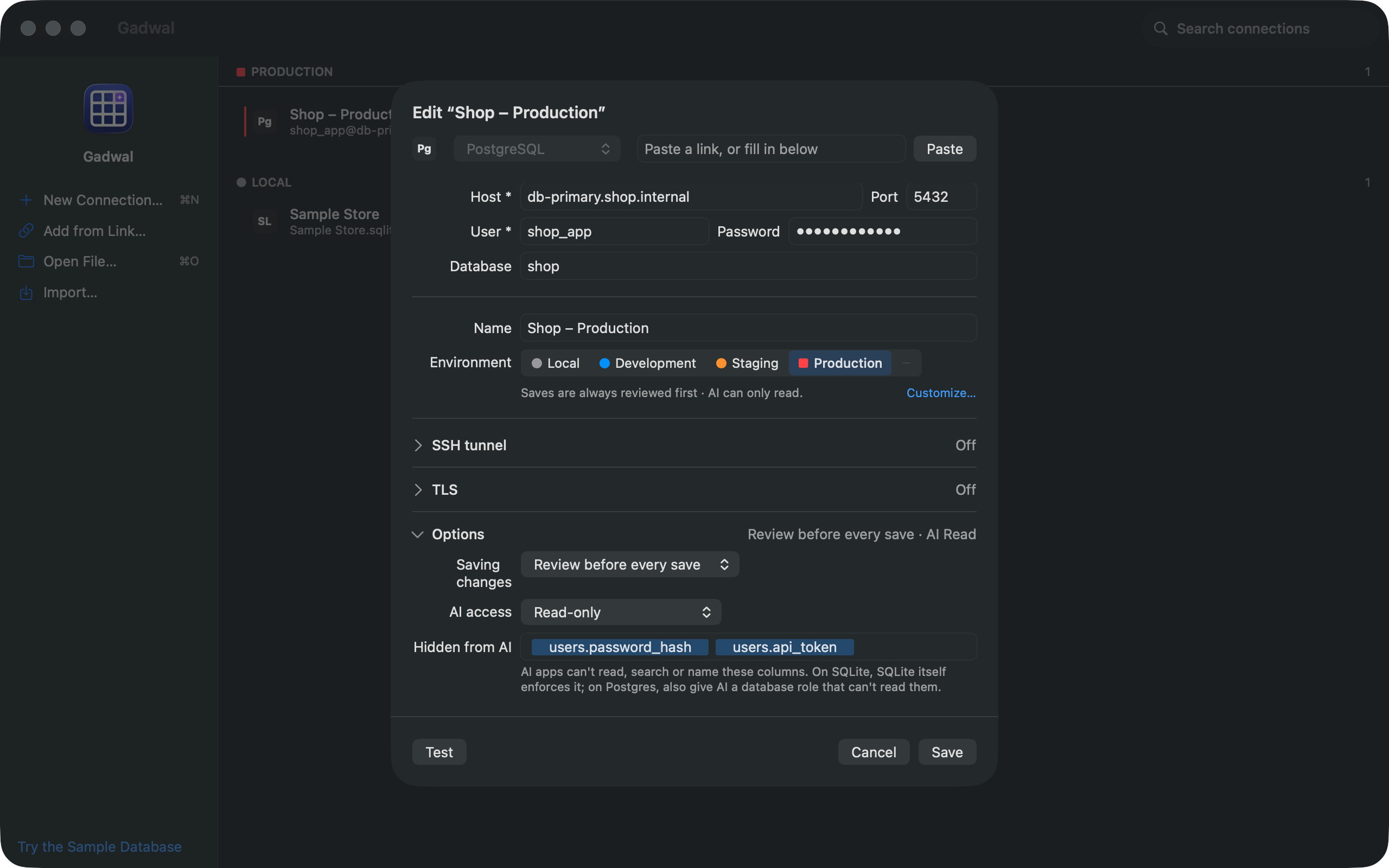
Pick Off, Read-only, Ask before write or Full for each connection. Mark columns like password hashes or tokens as hidden, and AI apps can't read, search or name them. On Postgres, also give the AI a database role that can't read them.
Before a DROP, TRUNCATE or unfiltered DELETE runs, Gadwal backs up the affected tables. BigQuery uses its built-in 7-day time travel instead.
The AI Activity window records every call: the app, the connection, the SQL, whether it was executed, allowed or denied, and the rows affected. Export it to CSV.
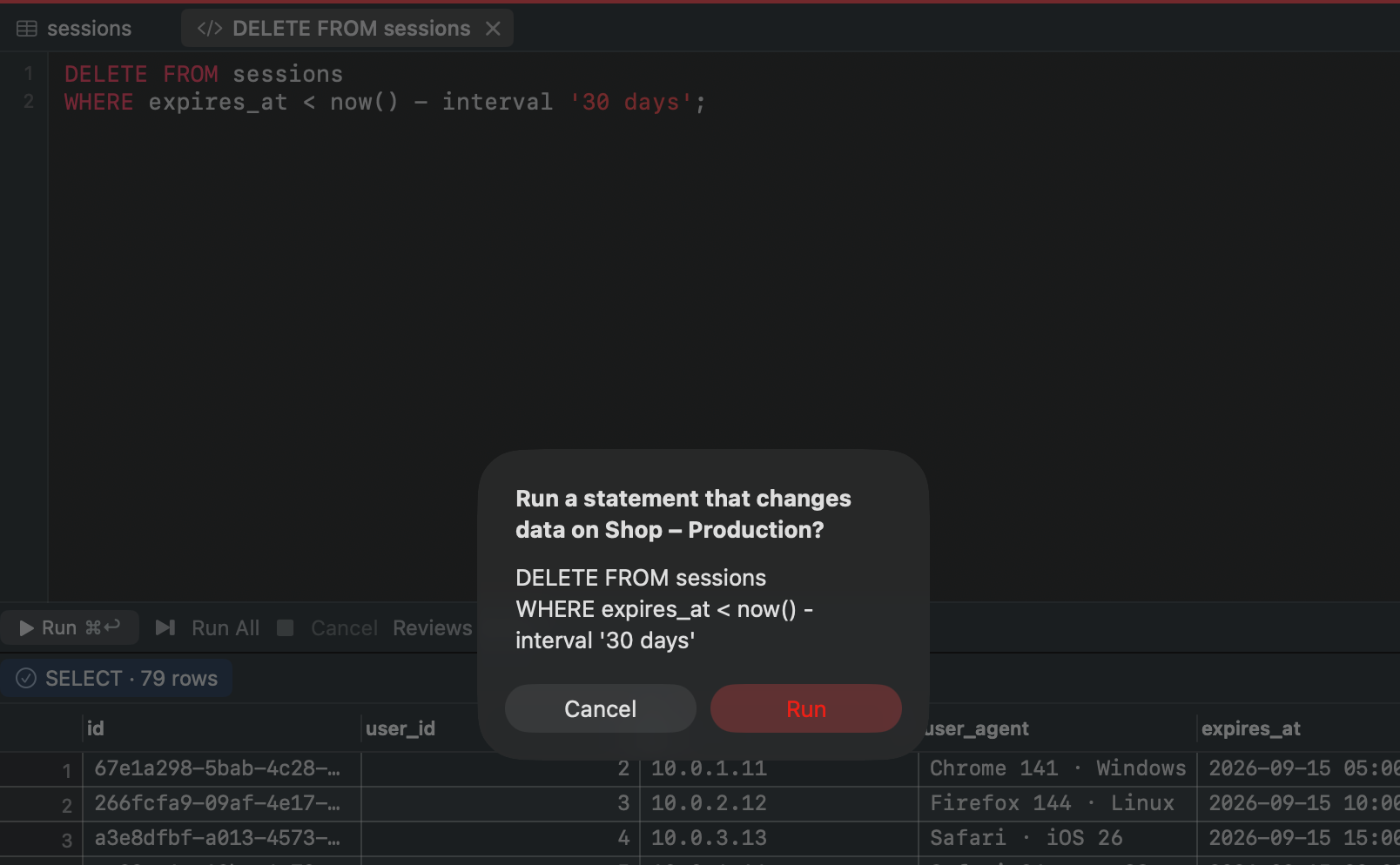
On a Production connection, any statement that changes data asks before it runs, even one you typed in the SQL editor.
Table editor
Change cells, add and delete rows, then press ⌘S. Gadwal shows every change and the SQL it will run, and commits them together in one transaction. Nothing changes by accident.
ctid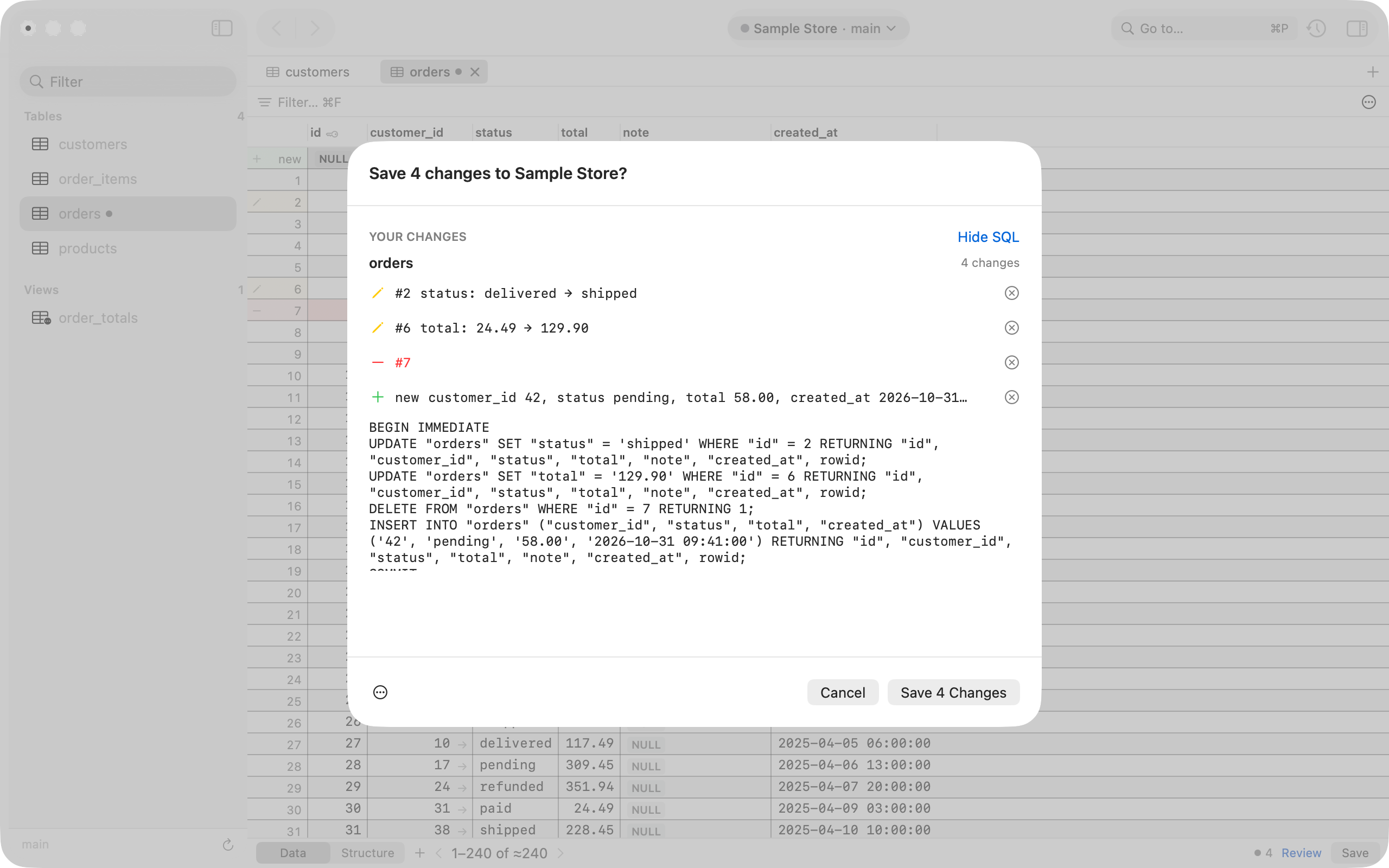
SQL editor
Autocomplete for tables and columns, query history, every result set from scripts and stored procedures, and a Cancel button that really stops the query on the server.
KILL QUERY, sent for you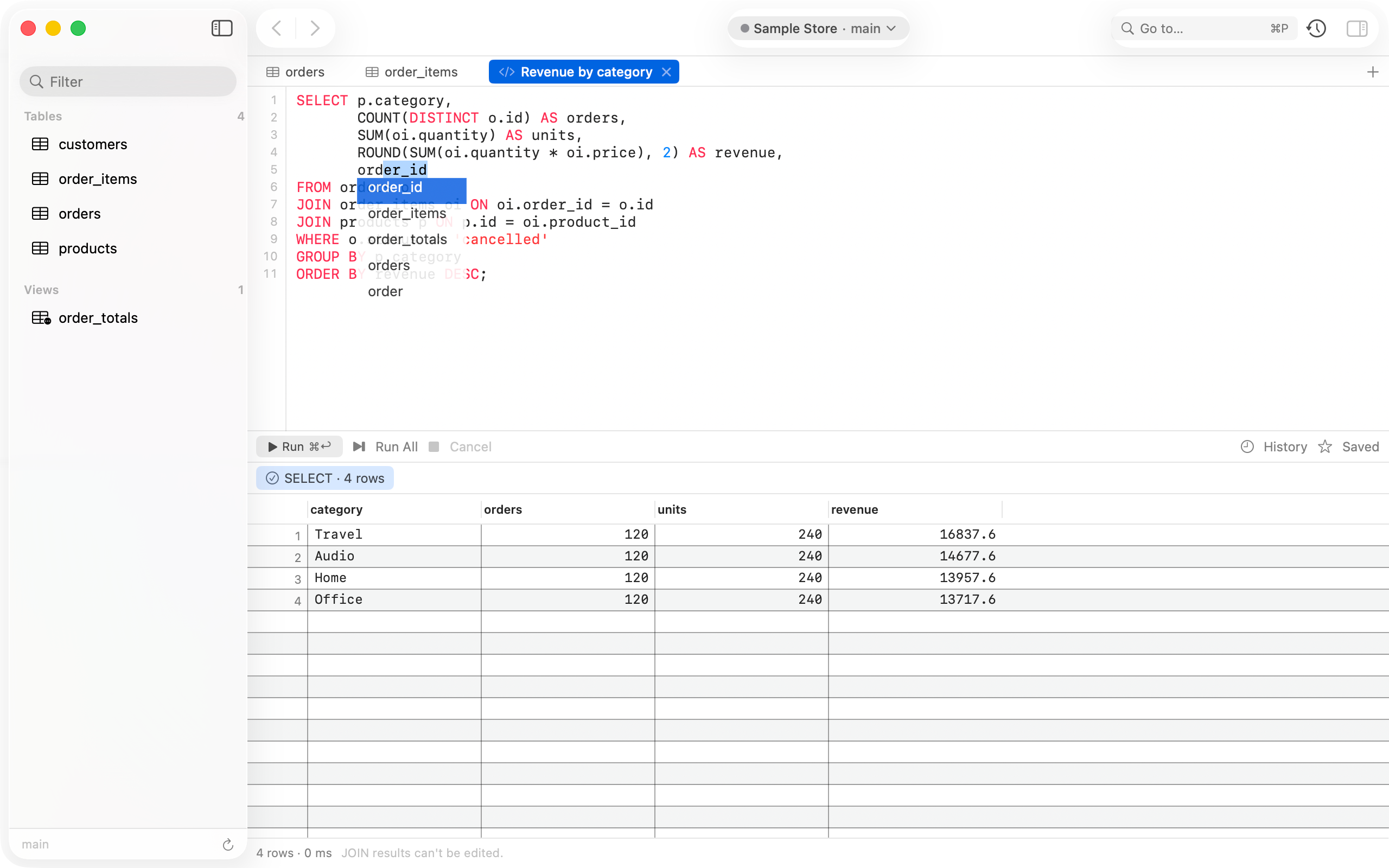
Engines
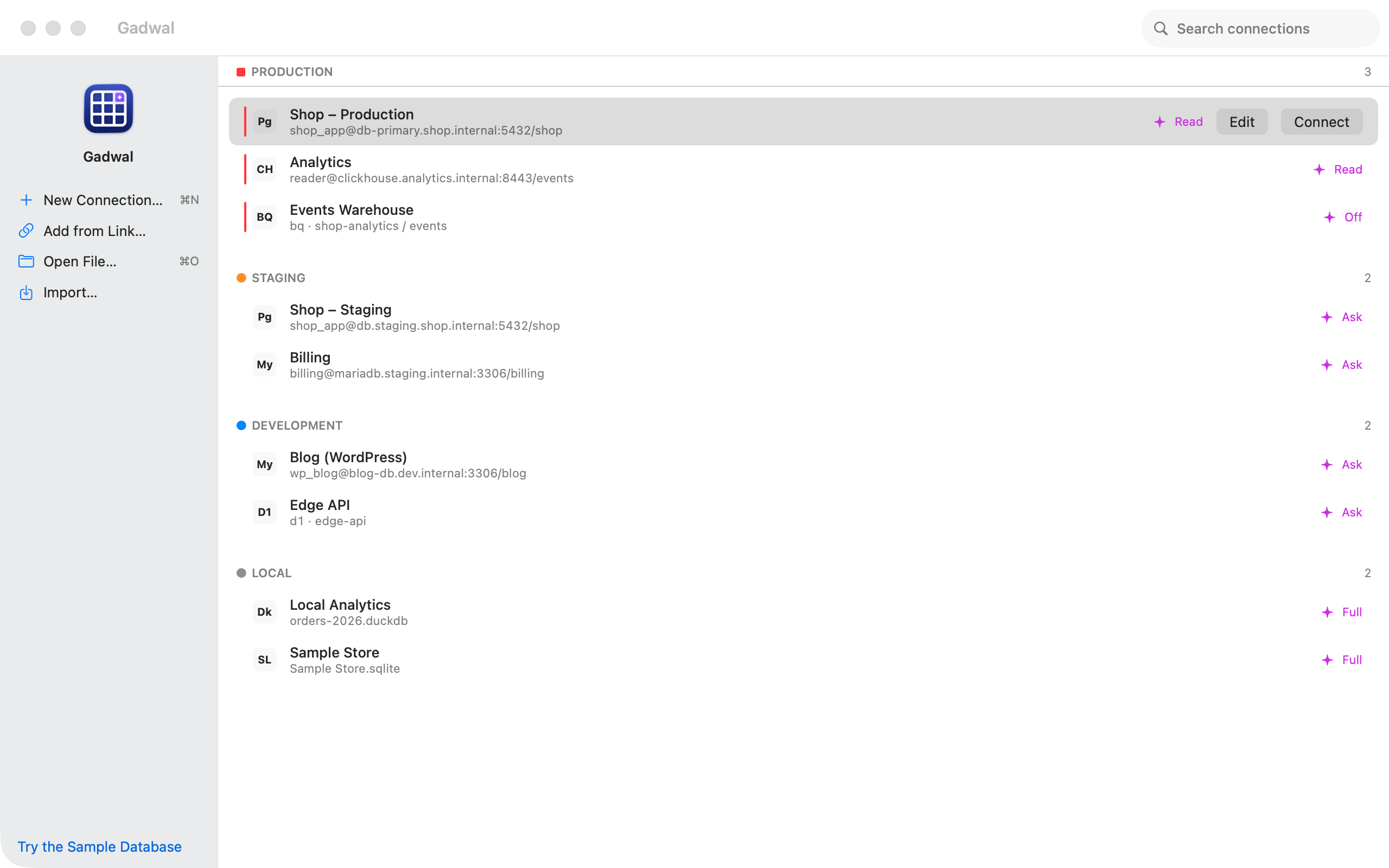
Group connections by environment (Production, Staging, Development, Local), each with its own colour and its own AI level.
12 to 19, including Supabase, Neon, RDS and Railway. TLS, SSH tunnels and connection poolers.
5.7 to 9.x, with caching_sha2_password, TLS and SSH tunnels.
10 and 11, over TLS or SSH, with the same editor and WordPress mode.
Open any .sqlite file, including the local files wrangler keeps for D1.
Open DuckDB files with the built-in parquet, json and icu functions.
Remote databases through the Cloudflare API, or wrangler's local files.
Over HTTP(S), self-hosted or ClickHouse Cloud, with fast streaming results.
Service-account sign-in. Every query is dry-run first so you see the bytes it will scan.
Also in 1.0
Backups
Back Up Now saves a connection to a folder on your Mac or in iCloud Drive: compressed SQL per table plus a manifest with row counts and checksums. Restore the tables you pick; Gadwal backs them up first.
WordPress
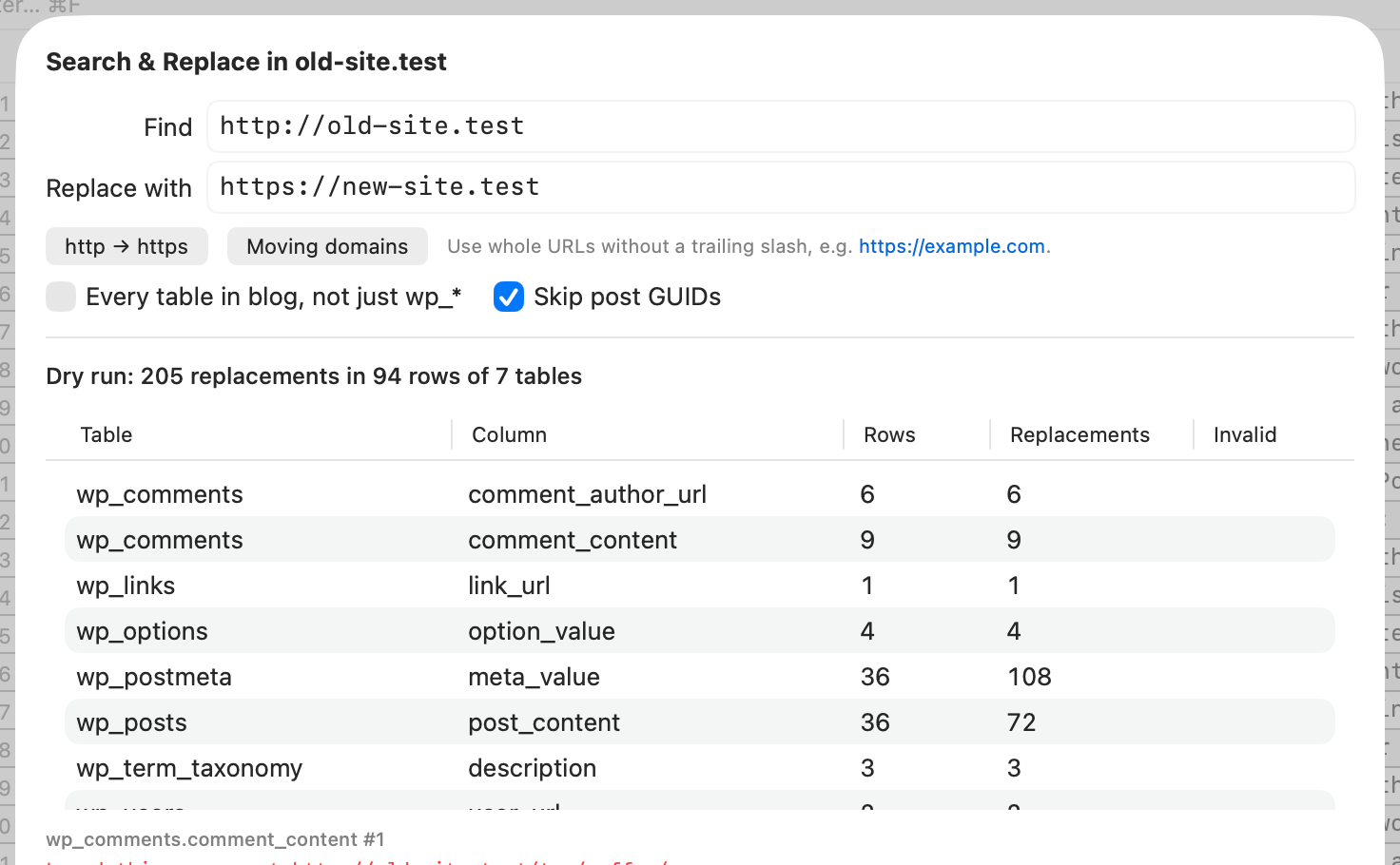
Gadwal finds the table prefix, shows posts, users, options and plugins, edits PHP-serialized values safely, and dry-runs every replace first.
Import
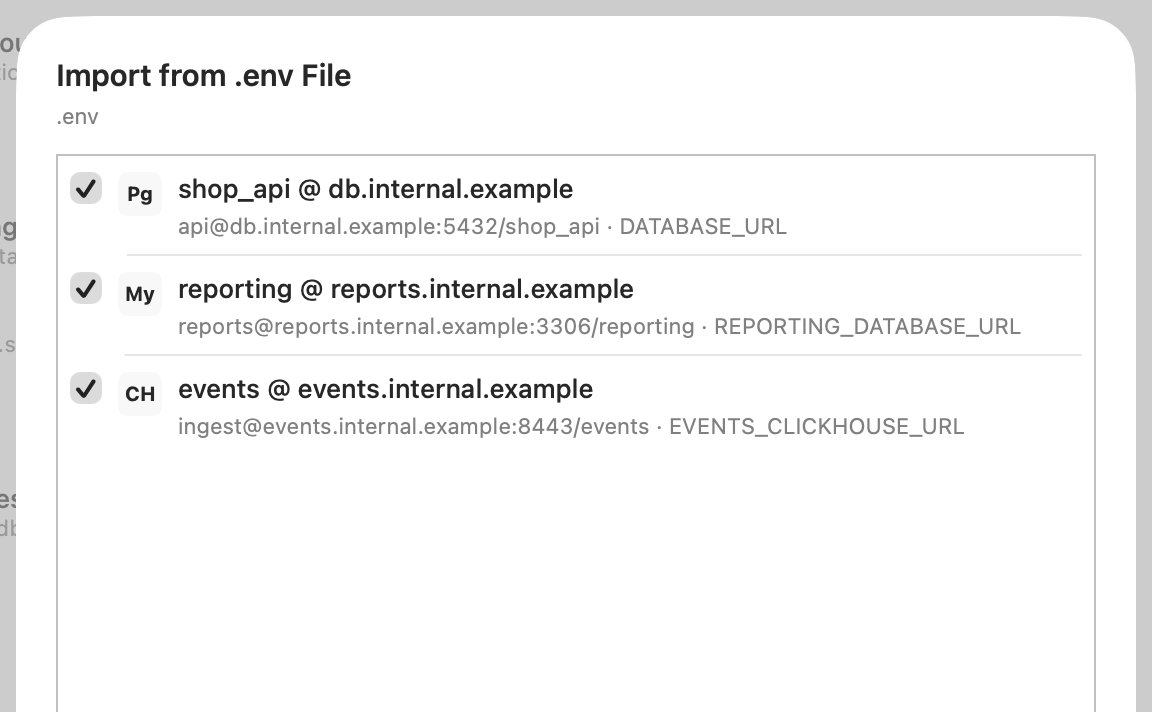
Import saved connections from TablePlus, or every database URL in a project's .env.
You review the list before anything is saved.
Privacy
Gadwal's App Store privacy label is “Data Not Collected”. It only talks to the databases and cloud APIs you set up, and to Apple for your purchase.
Pricing
Free trial
14 days
Every feature unlocked, including AI tools and backups. Nothing charged to start or end it.
Free tier
$0
After the trial: 2 connections, 2 tabs, 1 window. Editor, SQL and WordPress mode stay free.
Lifetime unlock
$9.99 once
One-time in-app purchase, no subscription. Price may vary by region. Family Sharing included.
No. Gadwal has no built-in AI and no API keys. It runs a local MCP server on 127.0.0.1, and the AI app you already use on your Mac (Claude Desktop, Claude Code, Cursor, Codex or VS Code) connects to it. What that AI app sends to its own provider is between you and that provider.
Not without you. DROP, TRUNCATE, DELETE or UPDATE without a WHERE clause, and similar statements, always wait for your approval, whatever level you set, and Gadwal backs up the affected tables first (BigQuery uses its built-in 7-day time travel instead).
No. It listens on 127.0.0.1 only, it is off until you turn it on, and each AI app gets its own token that you can revoke.
No. Gadwal is a complete database client without it: table editor, SQL editor, structure, export, backups and WordPress mode. The MCP server stays off until you turn it on.
macOS 15 Sequoia or later, on Apple silicon and Intel.
After 14 days Gadwal keeps working as a free app with 2 saved connections, 2 tabs and 1 window. AI tools and backups need the one-time unlock.
Start with the sample database, then add your own. 14 days free, everything unlocked.
14-day free trial with everything unlocked · macOS 15 Sequoia or later · Apple silicon and Intel